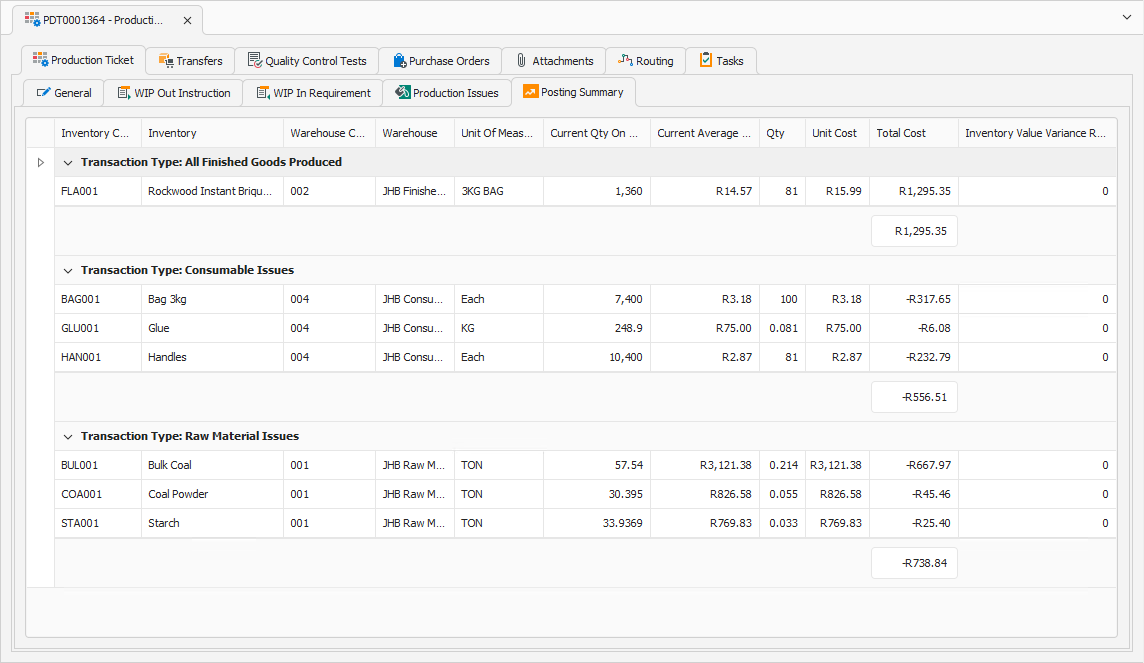
Navigation › Production › Processing › Production Tickets
The Posting Summary tab is used during reconciling to view and verify the actual quantities of finished goods items produced into stock, as well as the raw materials and consumables consumed out of stock during the production run. The posting summary also includes the costs incurred during the production run. This must be verified to ensure accurate processing of the production ticket for the financial system.
Note: The posting summary tab is only populated and editable when the production ticket is in reconciling.
To view and verify a production ticket's posting summary, navigate to the relevant production ticket. Open it by double-clicking it in the list, or by selecting it and pressing Enter.
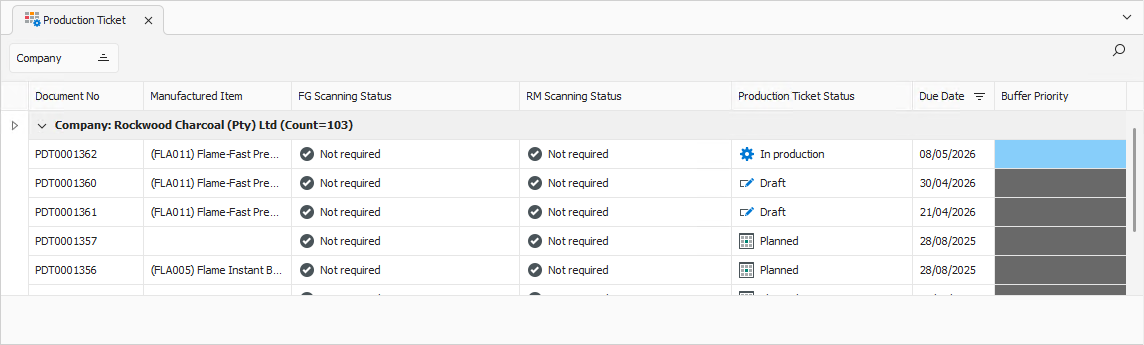
Opening the production ticket displays its General tab.
General Tab
Confirm that the information on the General tab is correct.
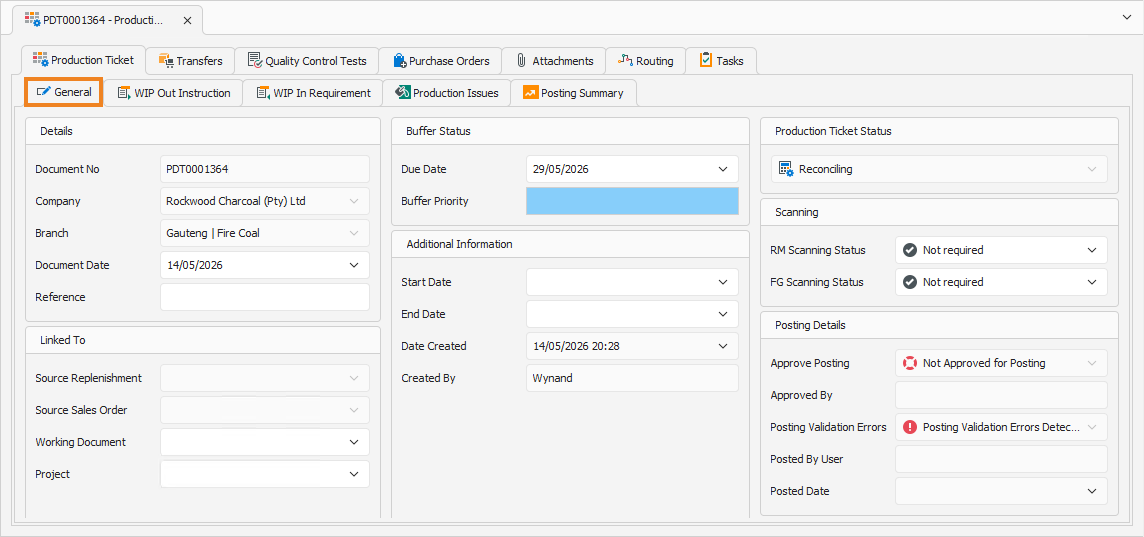
If needed, update the ticket's status to Reconciling. Once done, click the Posting Summary tab to continue.
Posting Summary Tab
The Posting Summary tab displays the finished goods items, raw materials and consumables produced and consumed during the production run. It also includes the current stock on hand, current average cost per unit, unit cost and total cost per inventory item.
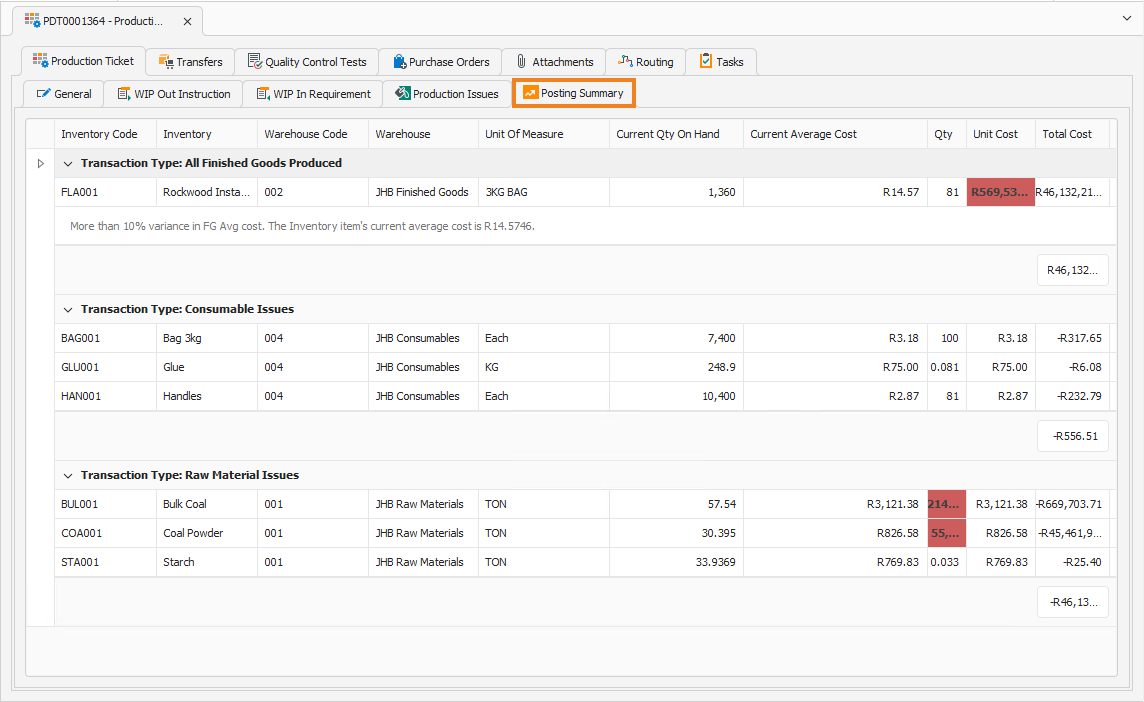
Current Qty On Hand: The number of inventory items currently available in the selected warehouse.
Current Average Cost: The current calculated average cost for the inventory item.
Qty: The number of inventory items produced or issued during the production run.
Unit Cost: The calculated cost per inventory item produced or issued during this production run.
Total Cost: The total cost incurred or inventory value produced for the inventory item.
Note: The Qty column does not display the number of inventory items produced or issued during the production run as reported on the Production Issues tab.
The posting summary tab also displays validation errors. Two errors are highlighted in red when encountered:
- Depending on your system configuration, a threshold is set that allows for some variance in the cost of the final goods produced. If this threshold is exceeded (either up or down), an error is indicated.
- If the issued stock for a line item exceeds the current available stock on hand, an error is indicated.
To fix a possible error, click the Production Issues tab.
Production Issues Tab
The Production Issues tab displays the finished goods items, raw materials and consumables produced and consumed during the production run. Here you can verify that this information was captured correctly.
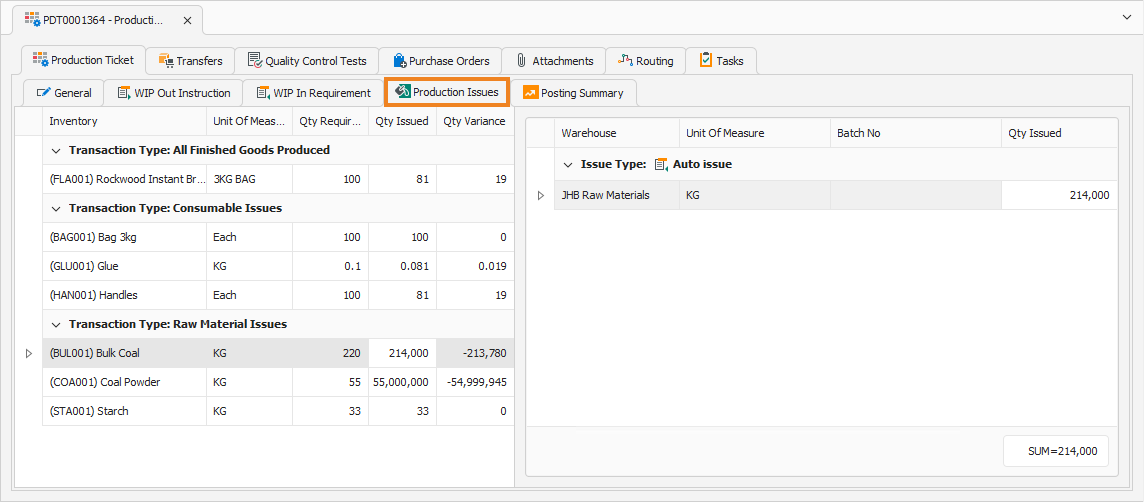
Next, click a line item to update. This displays the item's information in the block on the right-hand side.
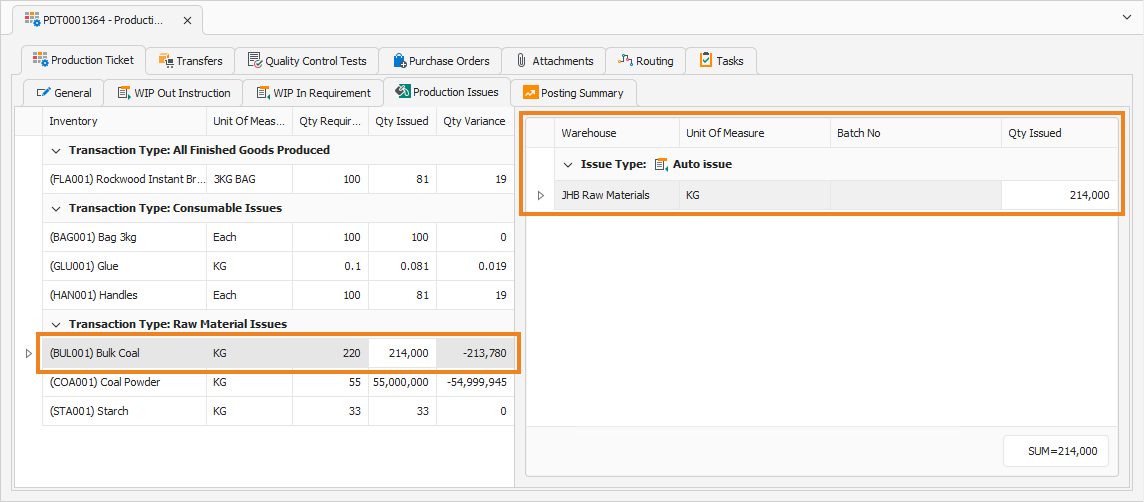
In the block on the right-hand side, update the Qty Issued amount to reflect the actual quantity consumed or produced during the production run. Repeat this process for all inventory items as required. Once all production issues have been verified, click Recalculate Ticket.

This updates the line items on the left-hand side and displays the actual Qty Issued and Qty Variance numbers.
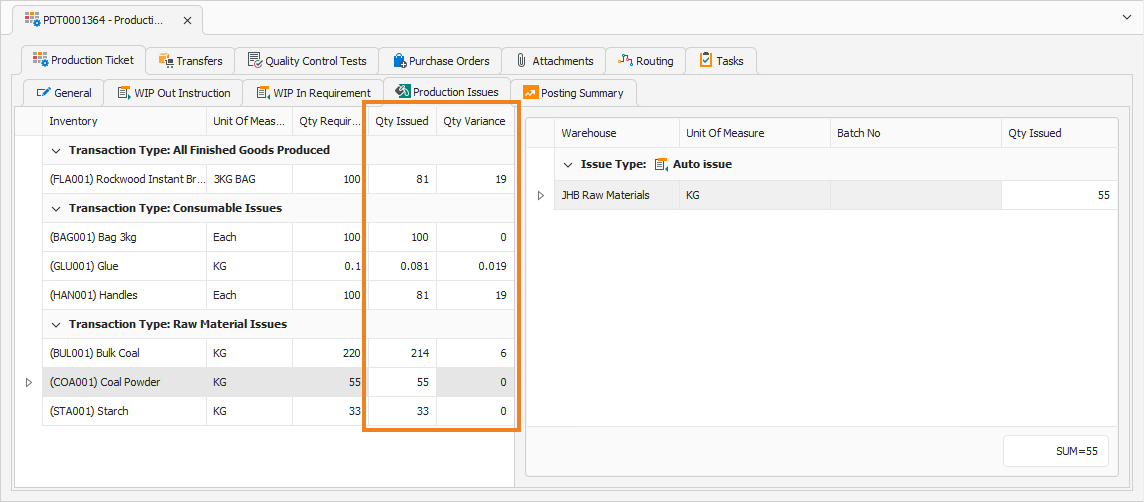
Once done, click Save (Ctrl+S). This saves the production ticket. Update the ticket's status to Reconciling. Click the Posting Summary tab to continue.
Posting Summary Tab
The Posting Summary tab now displays the verified information and is ready for approval.